
Curflow
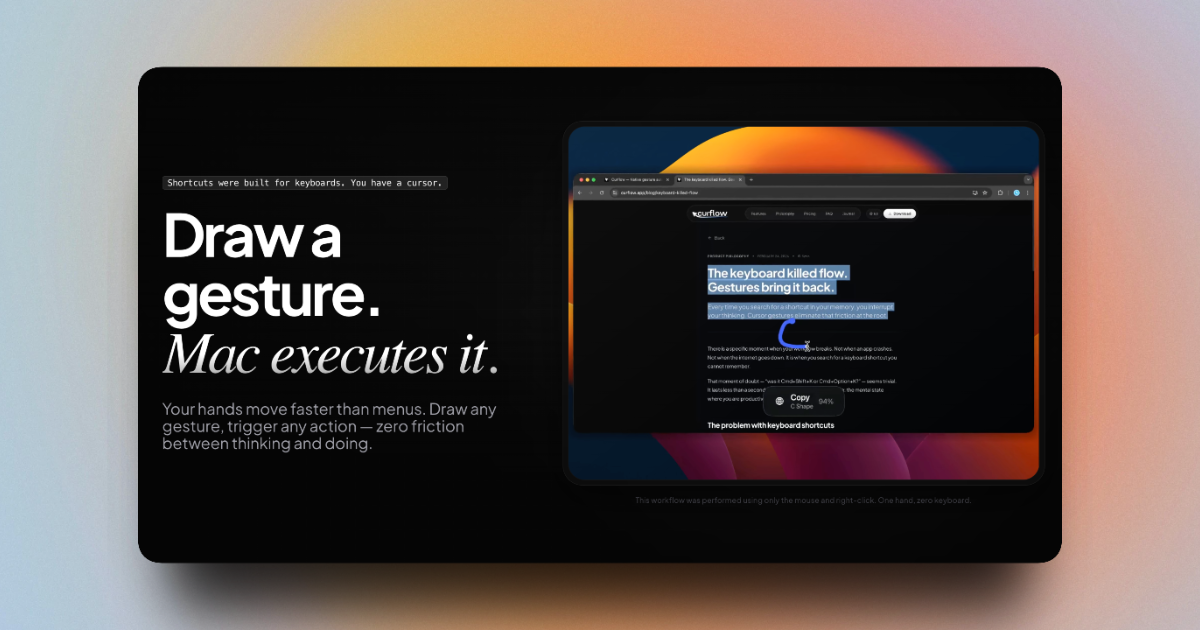
Draw a gesture for your Mac to execute
Curflow lets macOS users assign custom mouse or trackpad gestures to any keyboard shortcut, AppleScript, or Shortcut routine, enabling actions to be triggered without touching the keyboard. The tool monitors the cursor and interprets drawn gestures—such as right‑click‑plus‑drag or option‑key pan—to invoke commands like navigation, clipboard operations, app switching, or system functions. Users can define gestures per application, device, or globally, and combine multiple actions into a single sequence for more complex workflows.
The software is aimed at power users and developers who want to streamline repetitive tasks, improve hands‑on efficiency, and keep their hands on the input device. It supports mapping any existing shortcut to a gesture, running AppleScript code, and chaining actions, providing a native‑performance, mouse‑centric automation layer.
Curflow is currently in an experimental stage, offering a free version with core gesture‑to‑shortcut mapping and a Pro tier that unlocks advanced scripting and multi‑action flows. It is distributed as a macOS application that runs in the background, listening for defined gestures and executing the associated actions.
Reviews
Loading reviews…
Similar apps

Clipboard, Input & Automation
Mac Mouse Fix
Mouse utility to add gesture functions and smooth scrolling to 3rd party mice
Clipboard, Input & Automation
MacGesture
Utility to set up global mouse gestures
Clipboard, Input & Automation
SteerMouse
Customize mouse buttons, wheel behavior, and cursor speed.

Display & Accessibility
Cursr
Customise mouse movements between multiple displays
Window & Desktop Management
DockFlow
Manage Dock presets and switch between them instantly
Clipboard, Input & Automation
ClipFlow
Free clipboard history manager with terminal-style navigation.