
Xcodes
Install and switch between multiple versions of Xcode.
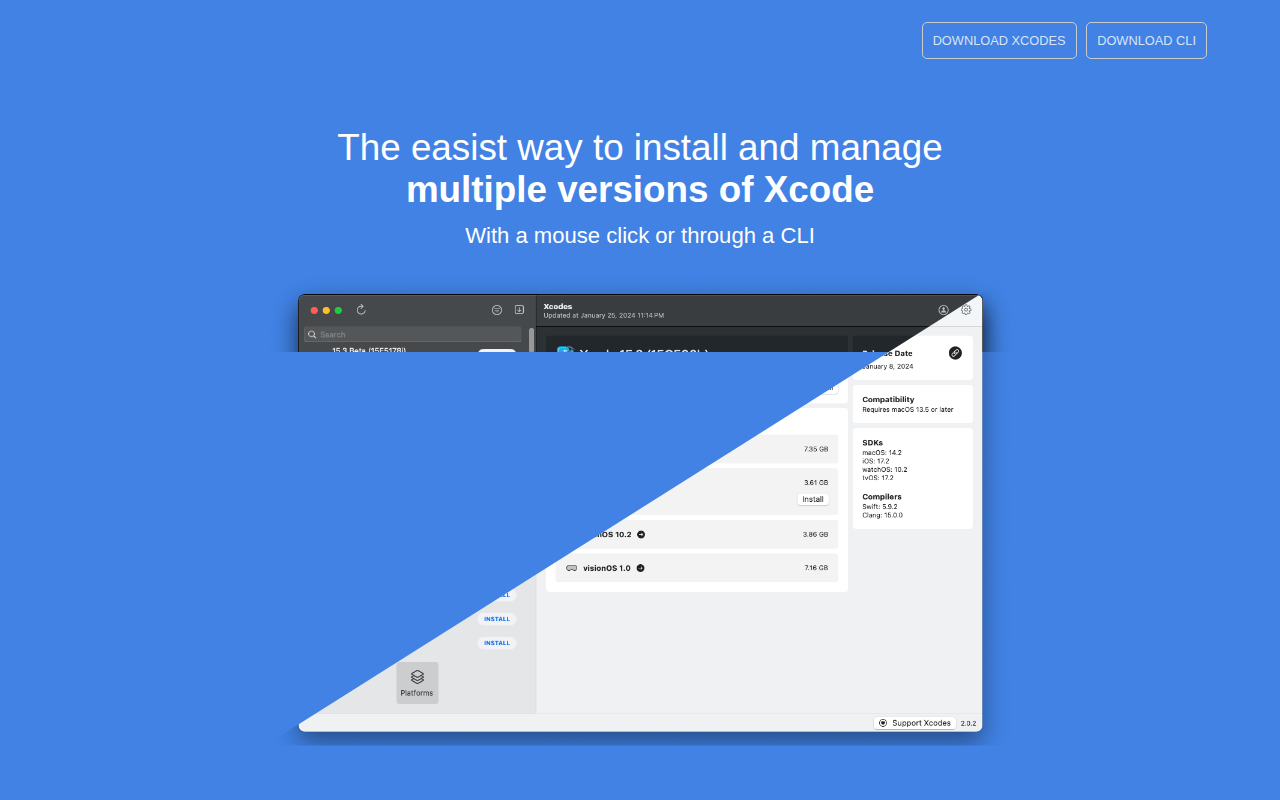
Xcodes.app provides a graphical interface for managing multiple Xcode installations on macOS. It queries version data from Xcode Releases and the Apple Developer site, allowing users to download any listed Xcode version automatically. The download engine uses aria2 for multi‑connection transfers, and the app can resume interrupted installs. After installation, a single click invokes `xcode-select` to make the chosen version active, and release notes, OS compatibility, SDKs, and compilers are displayed for reference.
The tool also handles ancillary components such as Apple runtimes, platform SDKs, and Apple Silicon versus Universal variants, installing them with the same click‑based workflow. An optional experiment leverages the unxip library to speed up archive extraction, though it may increase memory usage. The application supports macOS 11+ (v1), macOS 13+ (v2 and v3) and offers dark and light themes, security‑key authentication, and localization in many languages contributed by the community.
Xcodes is distributed as a free, open‑source, notarized macOS app and can be installed via Homebrew cask or by downloading the signed zip from the releases page. A command‑line counterpart, `xcodes`, is available for users who prefer terminal‑based management.
Reviews
Loading reviews…
Similar apps
Code Editors & IDEs
Xcodes
Install and switch between multiple versions of Xcode
Code Editors & IDEs
Xcode
Essential IDE for iOS/macOS development.
Code Editors & IDEs
XCSnippetsApp
Explore, view, and edit Swift and iOS code snippets for Xcode.
AI Coding Agents
GitHub Copilot for Xcode
Xcode extension for GitHub Copilot
Code Editors & IDEs
VSCodium
Binary releases of VS Code without MS branding/telemetry/licensing
Code Editors & IDEs
DevToys
Utilities designed to make common development tasks easier