
Capso
Free open-source screenshot & screen recorder for Mac
Capso is a native macOS application that provides screenshot capture, screen recording, and related editing tools in a single package. Users can select an area, a window, or the full screen via the menu bar or global shortcuts, and the app can produce still images, MP4 video, or animated GIFs with optional system and microphone audio. It also supports webcam picture‑in‑picture overlay during recordings.
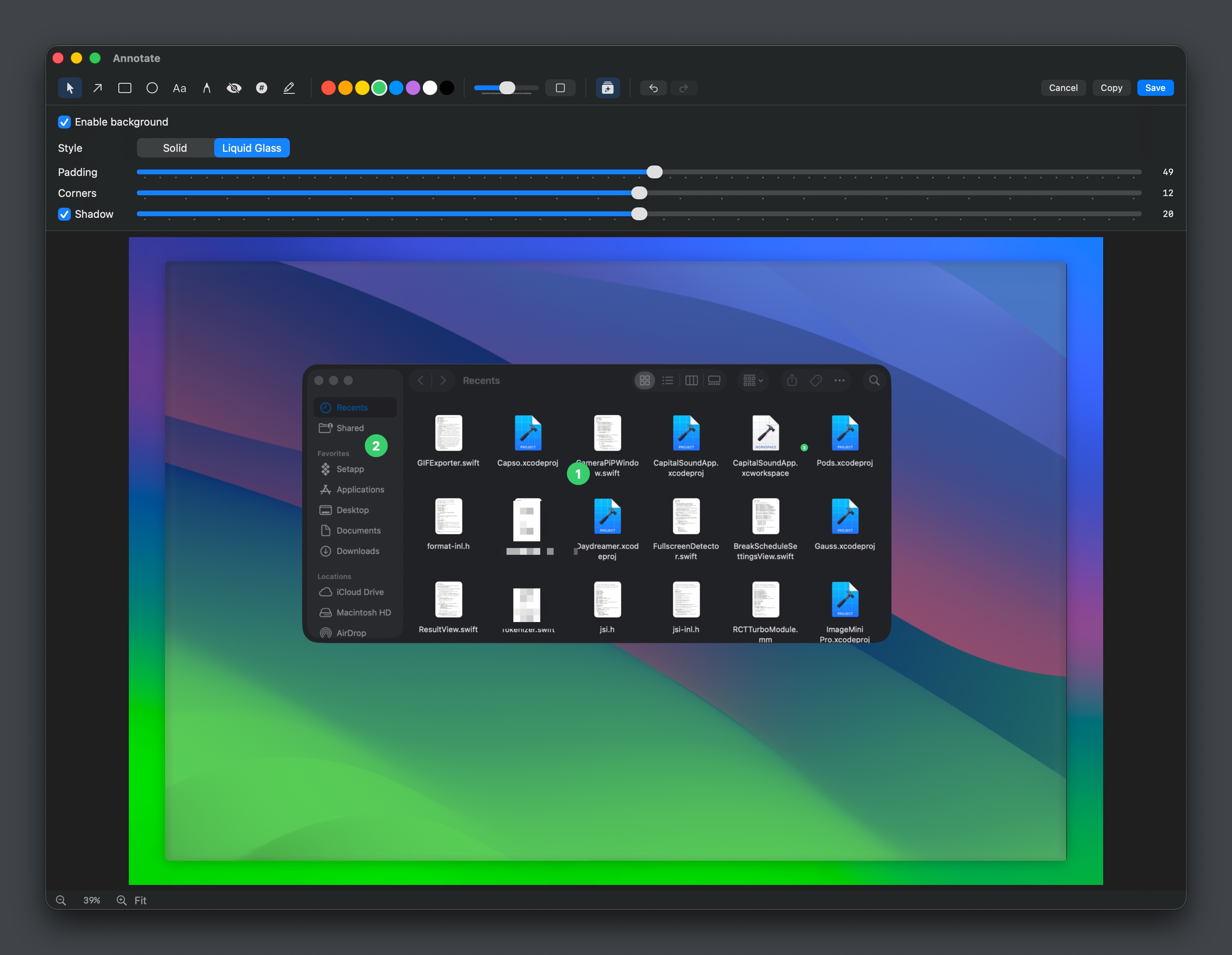
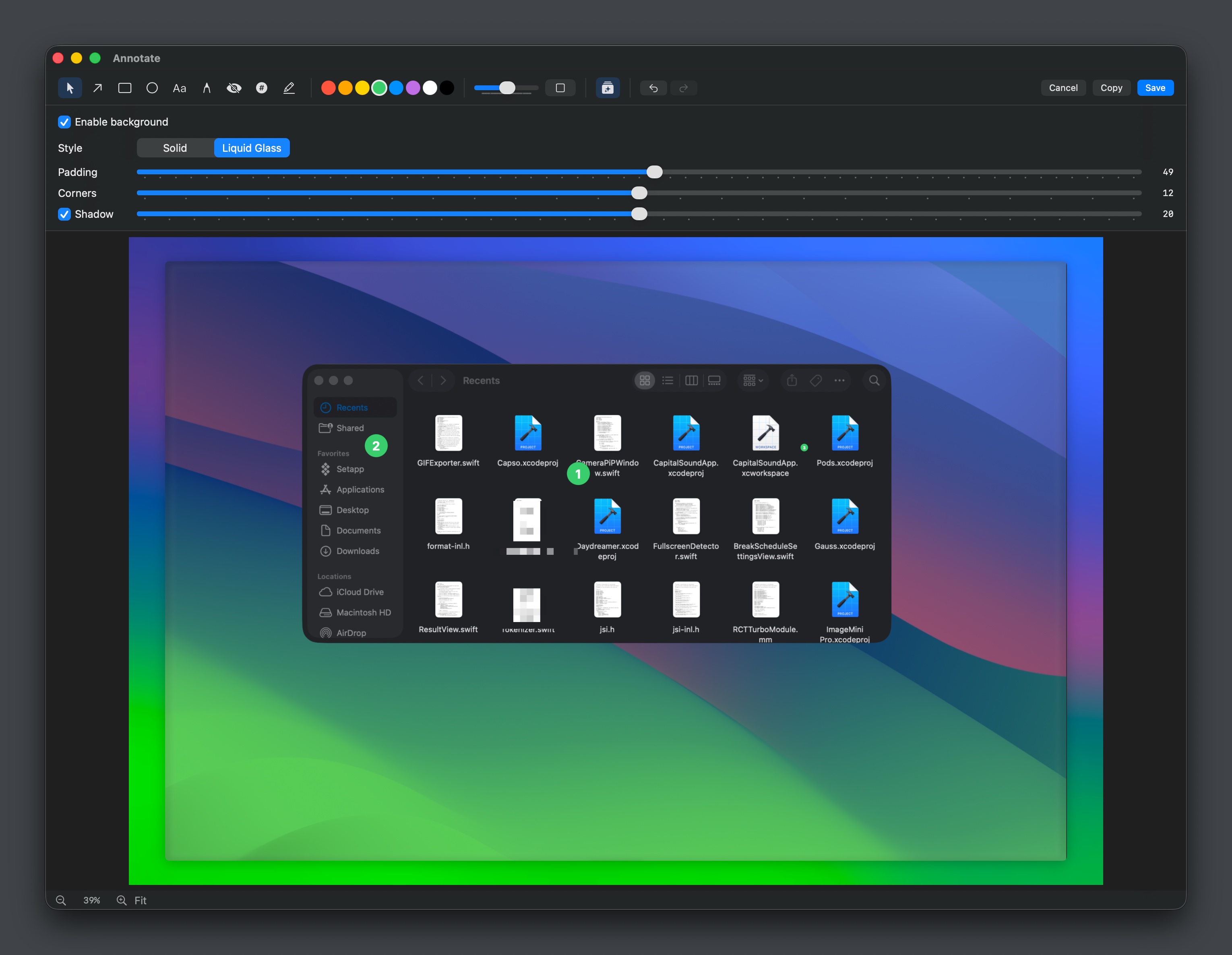
Captured media can be opened in an annotation editor that offers arrows, shapes, text, freehand drawing, pixelation, counters, and highlighters, as well as OCR for extracting text from screenshots. Additional visual enhancements include background gradients, padding, rounded corners, and drop shadows, with live previews of solid or “liquid glass” styles.
All functionality is configurable through preferences that control image formats, recording quality, keyboard shortcuts, quick‑access behavior, and export presets. Built with Swift 6 and SwiftUI, Capso is released under an open‑source license, offering a free alternative to commercial screenshot tools without feature gating or subscription requirements.
Reviews
Loading reviews…
Similar apps
Screenshot & Screen Recording
Capso
Open-source screenshot and screen recording tool with annotations, OCR, and webcam overlays.
Screenshot & Screen Recording
Capty
Screen capture and recording tool with built-in editing and annotations.
Screenshot & Screen Recording
BetterCapture
Free and open source screen recorder with professional encoding support.
Screenshot & Screen Recording
BetterCapture
Screen recorder

Photo & Video Management
Kap
Open-source screen-recorder built with web technology.

Photo & Video Management
MagicCap
Image/GIF capture suite