
TimeMachineEditor
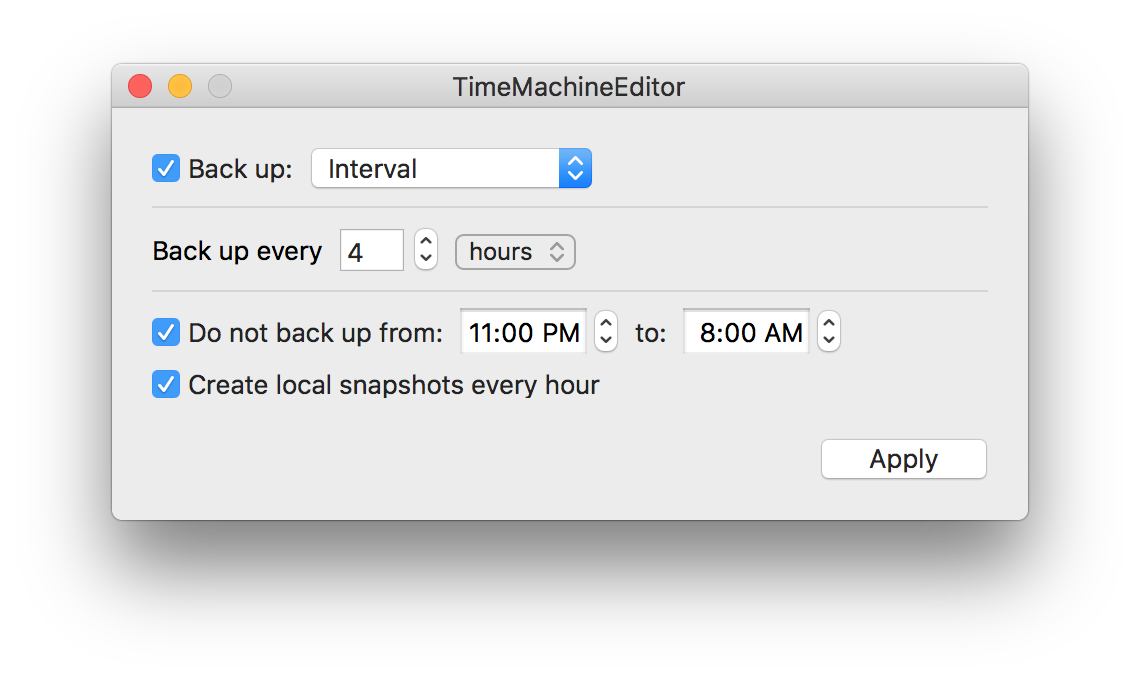
Utility to change the default backup interval of Time Machine
TimeMachineEditor is a macOS utility that replaces the built‑in hourly scheduling of Time Machine with a user‑defined interval or custom schedule. It runs as an alternative scheduler, invoking Time Machine’s backup process at times chosen by the user while leaving the actual backup mechanics untouched. The application does not modify system files; it merely triggers backups, making it safe to install and use.
The tool includes a command‑line interface, tmectl, which can display and adjust settings, enable or disable the scheduler, and uninstall the program. Users are instructed to disable the default automatic backup in System Preferences and set the frequency to “Manually” so that TimeMachineEditor can control when backups occur. The utility works with macOS 10.13 and newer and is available via Homebrew cask.
TimeMachineEditor is intended for users who want to reduce the performance impact of frequent backups, such as those who edit files often, while still relying on Time Machine for backup retention, local snapshots, and eventual backup consolidation.
Reviews
Loading reviews…
Similar apps
File Management & Transfer
TimeMachineStatus
Menu bar app to show Time Machine information
System Monitoring & Maintenance
TM Error Logger
Time Machine error reporting program
File Management & Transfer
Time Machine Inspector
Find out what's hogging up your Time Machine backups.

File Management & Transfer
tinyMediaManager
Media management tool

System Monitoring & Maintenance
Power Manager
Utility to automate tasks and improve power management
Network & Connectivity
Torrent File Editor
GUI for editing and creating torrent files